CRM & Inbox
Patient Inbox
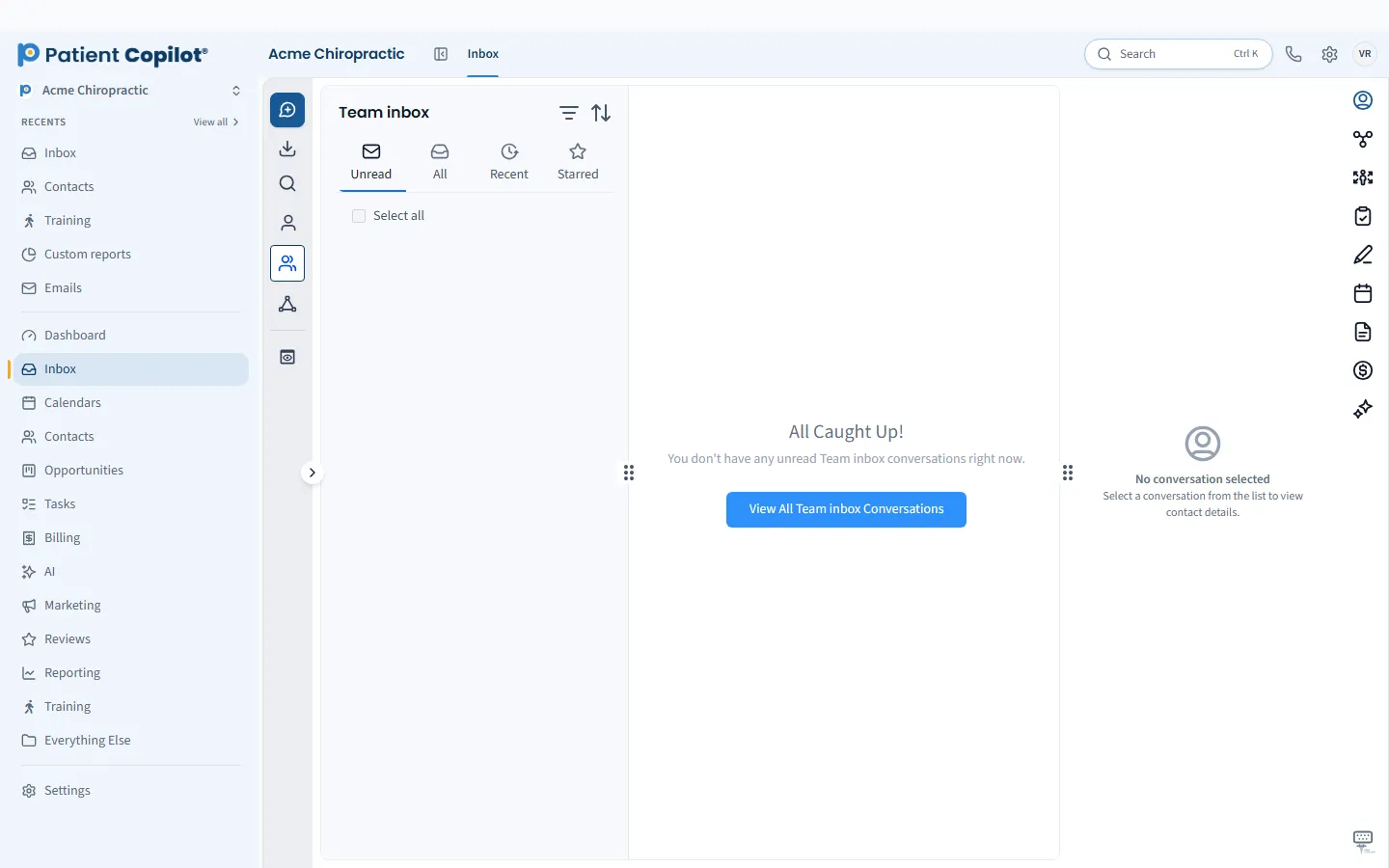
Every patient conversation in one inbox, whatever the channel.
What it does
What Patient Inbox gives your practice
- SMS, email, WhatsApp, Facebook, Instagram and webchat in one thread view
- Filter by channel, status or assigned team member
- Reusable snippets for common replies
- Conversation analytics for your team
Patient Inbox in detail
HIPAA compliant texting is only half of the patient communication problem. The other half is keeping texts, email, social messages and web chat from scattering across phones and apps. The Patient Inbox in PatientCopilot puts every conversation in one place so your team can see what came in, who owns it and what still needs a reply.
One inbox for every channel
Patients contact practices the way they find easiest. The Patient Inbox brings those messages together in a single thread view:
- Text messages (SMS)
- Facebook and Instagram messages
- Website chat
Each patient has one conversation history, so a front desk team member sees the full picture before replying.
HIPAA compliant texting on a platform built for practices
Texting from personal phones leaves messages scattered and hard to manage. Using the inbox keeps patient conversations on a HIPAA-compliant platform, in one record your team can see. Use good judgment about message content: keep texts short and practical, such as confirming a visit or sharing a form link, and move sensitive discussions to a call or visit.
Assign, filter and reply as a team
A shared inbox works when everyone knows who is handling what.
- Filter by channel, status or assigned team member
- Assign a conversation to the person best placed to answer
- Use reusable snippets for questions you answer every day, such as hours, parking and first-visit forms
- Review conversation analytics to see how your team is responding
For a chiropractic office, that might mean the front desk handles scheduling messages while the doctor answers a clinical follow-up.
A shared inbox works best with a simple routine. Decide who checks it first thing in the morning, who covers lunch and who reviews it at close. Use assignments and snippets so every message has an owner and common questions get consistent answers. Review the conversation analytics now and then to see where replies are slow.
How it works
- Connect your messaging channels, such as your business number, email and social pages.
- New messages arrive in the Patient Inbox as threads tied to the patient record.
- Filter the view and assign threads to team members.
- Reply with a typed message or a saved snippet.
- Close the conversation when it is resolved, and review analytics periodically.
Fewer missed messages
Missed messages cost new patients. When texts, social messages and chat all land in one place, a message sent late Friday does not sit unseen in someone's pocket. AI features such as Website Chat & Text AI can respond first and hand off to your team, with the whole thread visible in the same inbox.
Works with the rest of your practice tools
The inbox connects to the patient record, so you can see contact details, notes and appointments alongside the conversation. It also fits with appointment reminders, campaigns and the new-patient pipeline: replies from those tools come back to the same inbox.
Chiropractors, physical therapists, dental offices, med spas and wellness practices all use the Patient Inbox. It is included in the Copilot plan and in Autopilot, with a help center guide available for setup.
FAQ
Patient Inbox questions
Is texting patients HIPAA compliant?
PatientCopilot is a HIPAA-compliant platform, and the Patient Inbox keeps patient conversations inside it rather than on personal phones. See the HIPAA Compliance page for details, and avoid putting sensitive health details in messages when you do not need them.
Can my whole team share one patient inbox?
Yes. Conversations from every channel appear in one inbox. You can filter by channel, status or assigned team member, and assign a thread to the person who should answer it.
Which channels come into the inbox?
Text messages, email, WhatsApp, Facebook, Instagram and website chat appear as threads in the same view.
Can I save replies to common questions?
Yes. Reusable snippets let your team answer frequent questions quickly and consistently.
Ready to get started?
Sign up today and put an AI copilot on your front desk. Backed by a 14-day money-back guarantee.
14-day money-back guarantee. Cancel anytime.