Sites & SEO
Intake Forms & E-Signature
Collect intake forms and signed consents online.
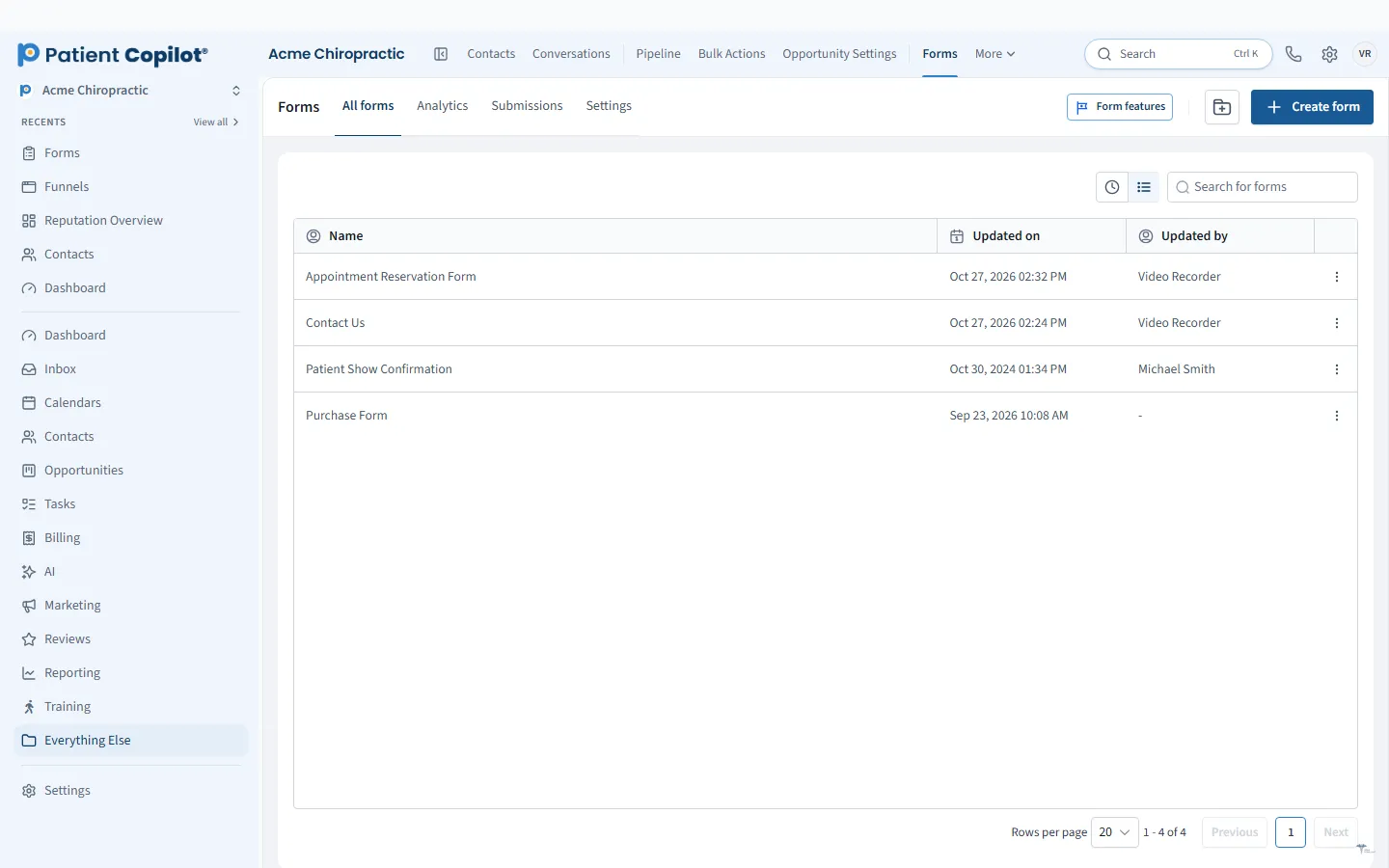
What it does
What Intake Forms & E-Signature gives your practice
- Build forms for new-patient intake
- Surveys and quizzes to qualify leads
- Submissions create or update the patient record
- Send consent forms and agreements for signature by email or text
- Signed copies stored with the patient
- Submissions can start an automation
Intake Forms & E-Signature in detail
Patient intake forms should be done before the patient reaches your front desk. PatientCopilot lets you build digital intake forms, send them by text or email, and collect e-signatures on consents and agreements, all tied to the patient record.
Digital intake before the visit
Paper clipboards slow down the first visit and create double entry. With digital intake, the patient receives a link after booking, fills out the form on their own device, and arrives ready to be seen.
- Build forms for new-patient intake with your own questions
- Send them by text or email, or place them on a web page
- Use surveys and quizzes to qualify leads before they book
- Trigger an automation when a form is submitted, such as a confirmation text or a task for staff
A chiropractic intake form typically covers contact details, health history, the reason for the visit and insurance information. A med spa or physical therapy practice would ask different questions, and you can adapt each form to match.
E-signature and consents
Consent forms and agreements can be sent for signature by email or text. The patient signs electronically, and a signed copy is stored with that patient. Use this for treatment consents, financial policies, membership agreements and similar documents.
Auto-fill patient records
A form submission creates or updates the patient record. That means the answers sit next to the conversation history, appointments and pipeline stage, rather than in a stack of scanned pages. Your team searches one place.
Build forms that fit your practice
You can create separate forms for different needs:
- New-patient intake
- Returning-patient update
- Consent and policy acknowledgment
- Lead capture on your website
Keep forms short. Ask only what you need before the first visit, and collect the rest at the appointment.
How it works
- Build the form in the form builder, or start from a document you already use.
- Add it to your booking flow so patients receive it after they schedule.
- The patient completes the form on their phone, tablet or computer.
- For consents, the patient signs electronically.
- The submission updates the patient record and can start an automation.
Security and storage
Intake forms collect sensitive information, so treat them accordingly. PatientCopilot states that it is HIPAA compliant, and data is encrypted in transit and at rest. Limit form access to staff who need it, and follow your own policies for what you collect. For details, see the HIPAA Compliance page.
Digital forms also help you stay organized: submissions are timestamped, searchable and attached to the right patient, so you spend less time hunting for paperwork.
Some practical tips help forms work better. Send the intake link as soon as the appointment is booked, and send a reminder the day before for anyone who has not finished. Put the most important questions first, and mark only the fields you truly need as required. Use clear, plain wording rather than clinical jargon so patients can answer without calling the office. Test each form on a phone before you send it, since most patients will fill it out there. For consents, keep each document focused on one purpose, such as treatment consent or financial policy, so patients know exactly what they are signing. Review your forms once or twice a year and retire questions you never use.
FAQ
Intake Forms & E-Signature questions
Can patient intake forms update the patient record automatically?
Yes. A submitted form creates or updates the patient record, so the front desk does not retype what the patient entered.
How do patients sign consents?
You send a consent form or agreement by email or text. The patient opens it on their phone or computer and signs electronically.
Where are signed copies stored?
Signed copies are stored with the patient in PatientCopilot, so staff can find them from the patient record.
Is the platform HIPAA compliant?
PatientCopilot states that it is HIPAA compliant. See the HIPAA Compliance page and our HIPAA policy for the full wording, and talk to your own compliance advisor about your practice's obligations.
Ready to get started?
Sign up today and put an AI copilot on your front desk. Backed by a 14-day money-back guarantee.
14-day money-back guarantee. Cancel anytime.