AI
Custom AI Agents
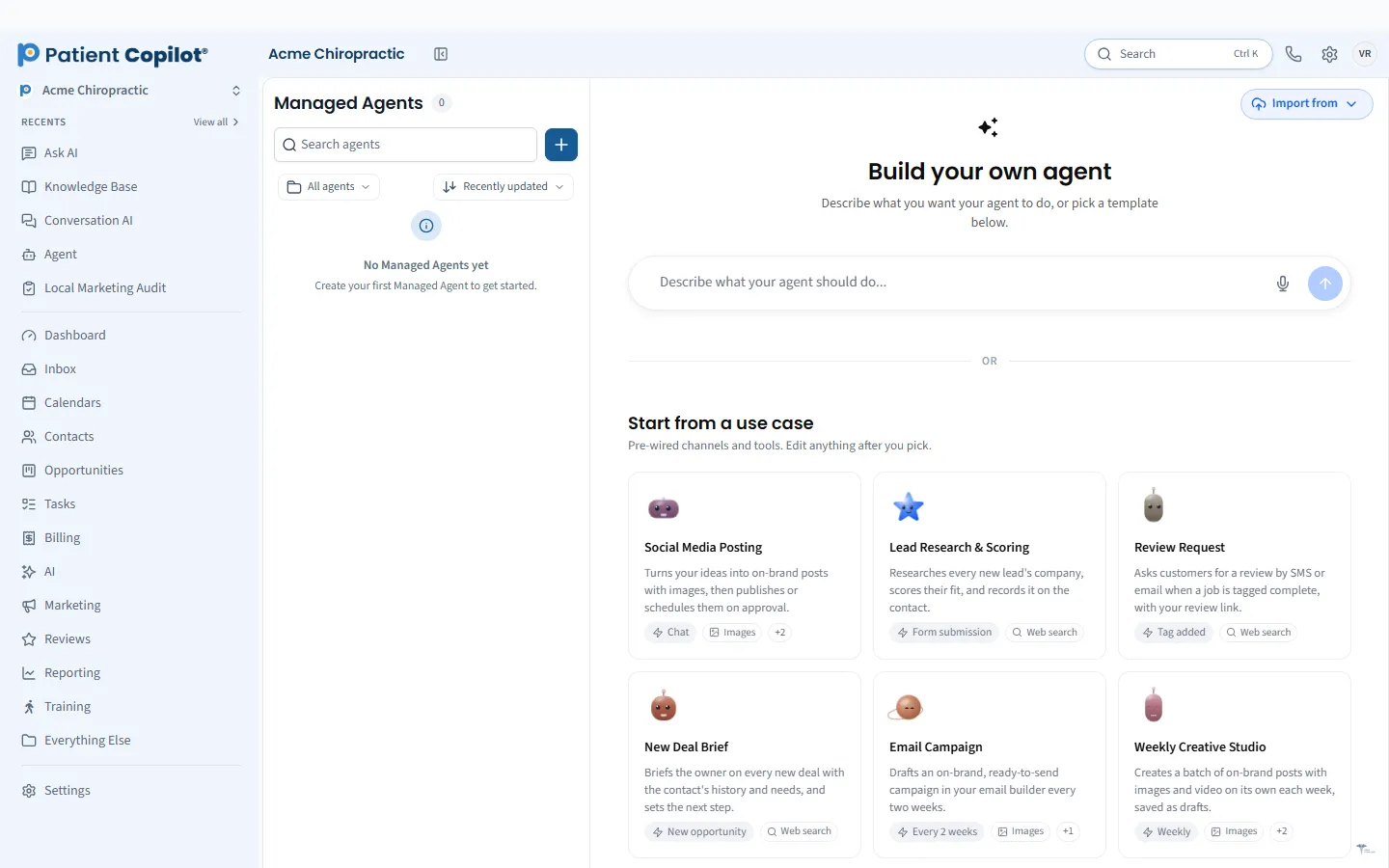
Build custom AI agents with a visual builder and train them on your practice content.
What it does
What Custom AI Agents gives your practice
- Visual, no-code builder for custom AI agents
- Train agents on your own policies, FAQs and practice content
- Patients get answers that match how your practice works
- Use the same agents across chat, text and voice
Custom AI Agents in detail
Custom AI agents let your practice build AI helpers that know your policies, your services and your way of talking to patients, without writing any code. Instead of a generic chatbot that guesses, you train each agent on your own content so the answers match how your practice really works.
What custom AI agents can do for your practice
An agent is a focused assistant with one job. Common jobs for a chiropractic or healthcare practice include:
- Answering questions about services, hours, locations and what to expect at a first visit
- Responding to new-patient inquiries the moment they arrive
- Explaining your cancellation, payment and intake policies in plain language
- Pointing patients to the right booking link or form
Because the agent works from your content, patients get answers that sound like your front desk, not a stranger.
Build AI agents with a no-code builder
Agent Studio is the visual builder inside PatientCopilot. You pick the agent's role, write its instructions in everyday language, and connect the content it should rely on. There is no developer to hire and no scripting to learn.
Practice owners and office managers can usually shape an agent in the same sitting they decide what it should say. You can adjust it any time your offers, hours or policies change.
Train an agent on your own practice content
The quality of an agent comes from what it knows. With Knowledge Bases you add the material you already have:
- Frequently asked questions and new-patient FAQs
- Service descriptions for adjustments, therapy, cleanings, facials or wellness programs
- Office policies on late arrivals, missed visits and payment
- Pre-visit instructions and forms
When your information changes, update the knowledge base and the agent follows along. Staff stay in control of what patients are told.
Start small. Pick the one question your front desk answers most often, build an agent for it, and read the first week of conversations. You will quickly see which answers need clearer instructions or a missing page in your knowledge base. Add a second agent only when the first is working the way you want. This keeps quality high and makes it easy for your team to trust the results.
How it works
- Open Agent Studio and create an agent for one job, such as front desk questions.
- Write the instructions: tone, what to answer, and what to hand to your team.
- Add your knowledge base content, such as FAQs and policies.
- Test the agent by asking it the questions your patients ask most.
- Turn it on for the channels you choose, then review conversations in your Patient Inbox and refine.
Use the same agent across chat, text and voice
Patients reach practices in different ways: a chat bubble on your website, a text to your business number, or a phone call. Custom agents can serve those channels, so the answer to "Do you take my insurance?" is the same wherever the question lands. Conversations stay visible to your team, which makes it easy to spot new questions and improve the agent over time.
Use cases by specialty
- Chiropractors: explain what a first visit includes, how care plans work and how to book.
- Physical therapy: cover referral and direct-access questions and send patients to the right intake form.
- Dental offices: answer hygiene and new-patient questions and share pre-visit instructions.
- Med spas and wellness practices: describe treatments, preparation and aftercare in your brand voice.
Custom AI agents are included in the Copilot plan and in Autopilot. If you want a broader view of how AI fits your front desk, see AI Scheduling, Website Chat & Text AI and the AI Receptionist.
FAQ
Custom AI Agents questions
What is a custom AI agent?
A custom AI agent is an AI helper you set up for one job, such as answering patient questions or handling new-patient inquiries. You give it your practice content and instructions, and it responds in your practice's voice.
Do I need to code to build an AI agent?
No. Agent Studio is a visual, no-code builder. You describe what the agent should do, add your policies and FAQs, and test it before it talks to patients.
Can one agent work across chat, text and voice?
Yes. The same agents can be used across website chat, text messaging and voice, so patients get consistent answers wherever they reach out.
Which practices use custom AI agents?
Chiropractors, physical therapists, dental offices, med spas and wellness practices can all train an agent on their own services, hours, intake steps and policies.
Learn more
Go deeper on Custom AI Agents
AI
Related features
-
AI Receptionist (Voice AI)
An AI voice agent that answers inbound calls and books appointments.
-
AI Staff Assistant
An AI assistant for every staff member: ask questions in the app and draft posts, emails and messages in your practice voice.
-
Automation Workflows
Describe a goal and get workflow triggers and actions suggested.
Ready to get started?
Sign up today and put an AI copilot on your front desk. Backed by a 14-day money-back guarantee.
14-day money-back guarantee. Cancel anytime.