Scheduling
AI Scheduling
An AI booking assistant that fills your calendar from your website, chat and text, with no phone tag.
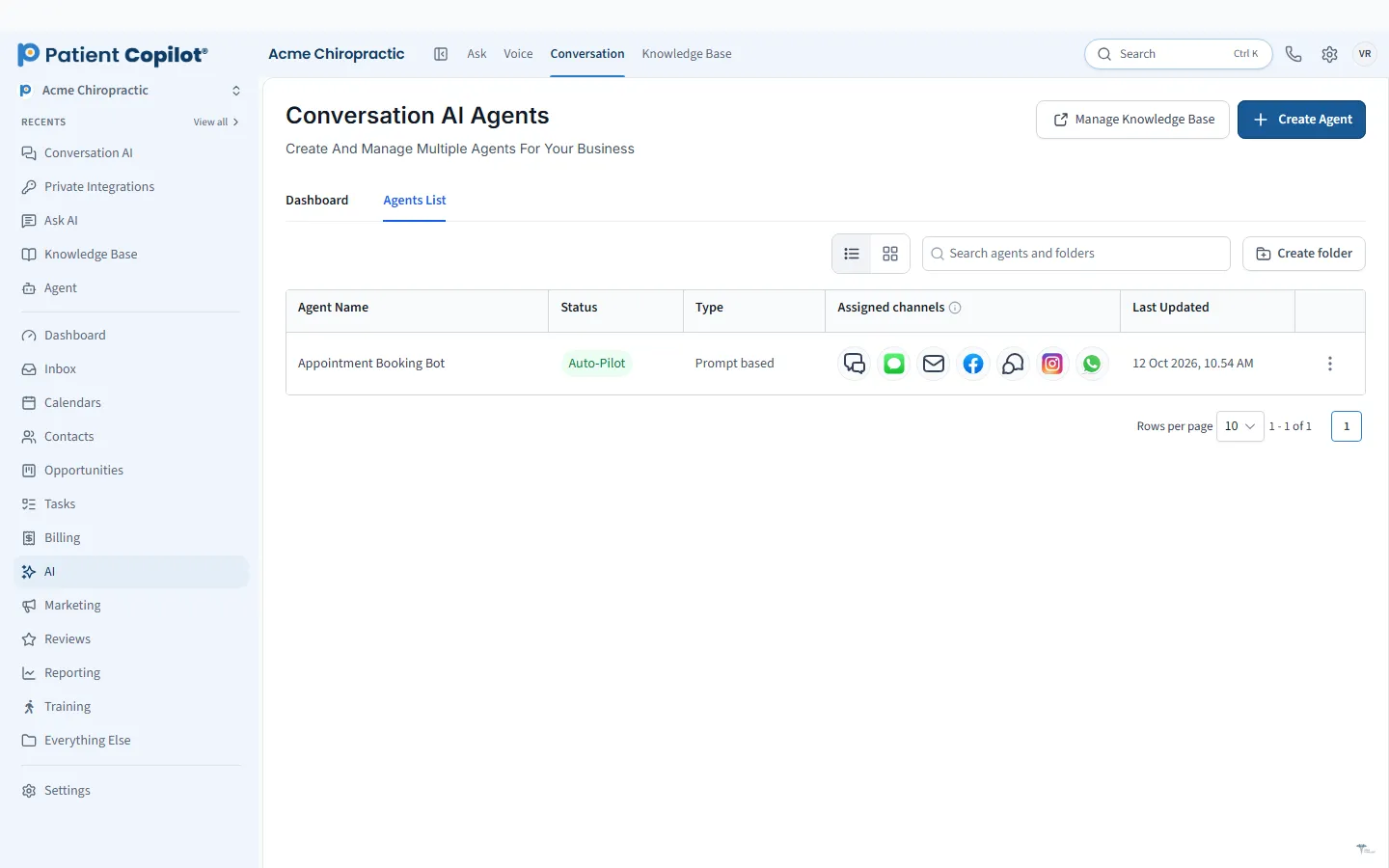
What it does
What AI Scheduling gives your practice
- Books patients from your website chat into your live calendar
- Books across channels (chat, text and web) against real openings
- Fills open slots without staff playing phone tag
- Works after hours and on weekends
AI Scheduling in detail
An AI scheduling assistant turns the question "Can I get in this week?" into a booked visit without anyone playing phone tag. AI Scheduling in PatientCopilot books patients from your website, chat and text messages into your live calendar, at any hour of the day.
How AI scheduling works for a practice
Patients who are ready to book rarely want to wait for office hours or leave a voicemail. The AI booking assistant meets them where they are:
- Books patients from your website chat into your live calendar
- Books across channels (chat, text and web) against real openings
- Fills open slots without staff trading messages back and forth
- Works after hours and on weekends
Because it uses your real availability, patients are offered times your team can actually honor.
Turn visitors and callers into booked appointments
A visitor who reads about back pain care at 9 p.m. is most likely to book right then. The booking chat widget on your site answers questions and guides them to a time. The same assistant can pick up a text conversation and complete the booking by message.
You can learn more about the setup on the AI appointment booking chat widget page and the live AI appointment scheduling page.
Good booking starts with good calendars. Make sure appointment types, durations and provider availability reflect how your schedule really runs, because the assistant offers only what the calendar allows. Test it yourself by booking a visit through your own website chat and watching how the appointment appears for your team.
How it works
- Set your calendars, services and availability in PatientCopilot.
- Add the booking assistant to your website and your text line.
- A patient asks about care or a time that works for them.
- The assistant offers real openings and books the one the patient picks.
- Your team sees the appointment on the calendar and the full conversation in the Patient Inbox.
Works with your calendars and reminders
AI Scheduling is built on top of Online Booking & Calendars, so the rules you already set, such as provider availability and services, still apply. Once an appointment is booked, Appointment Reminders can confirm it by text and email to help patients show up.
Fewer missed opportunities
A missed call or an unanswered chat can mean a lost new patient. Assistants that answer immediately, in any channel, help your practice capture interest while it is high. Your team spends less time on scheduling logistics and more time on patients in the room.
Built for chiropractors and other practices
- Chiropractors: book new-patient exams and follow-up adjustments.
- Physical therapy: book evaluations and recurring visits.
- Dental offices: book hygiene visits and consults.
- Med spas and wellness practices: book treatments and consultations.
AI Scheduling pairs well with Website Chat & Text AI, Custom AI Agents and the AI Receptionist, which answer the questions that come before a booking. Everything lands in your Patient Inbox so your team can see what the assistant handled.
FAQ
AI Scheduling questions
Can AI schedule patient appointments automatically?
Yes. The AI booking assistant works with your live calendar and books patients into real openings from your website chat, text and web, including after hours.
Does it work with my existing calendar?
It books against the calendars you set up in PatientCopilot, which can sync with outside calendars. See Online Booking & Calendars for the details.
What happens when someone needs a person?
Conversations land in your Patient Inbox, so your team can step in, read the history and take over.
Is AI scheduling available on both plans?
Yes. AI Scheduling is included in Copilot and in Autopilot.
Learn more
Go deeper on AI Scheduling
Ready to get started?
Sign up today and put an AI copilot on your front desk. Backed by a 14-day money-back guarantee.
14-day money-back guarantee. Cancel anytime.