AI
AI Staff Assistant
An AI assistant for every staff member: ask questions in the app and draft posts, emails and messages in your practice voice.
What it does
What AI Staff Assistant gives your practice
- Ask the in-app assistant how to do something and get an answer
- Brand-voice-aware drafts of social posts, emails and messages
- Reuse the same voice across email, text and social
- Staff review and edit before anything is sent
AI Staff Assistant in detail
An AI assistant for a medical practice is only useful if it saves your team real time on the work they do every day. The AI Staff Assistant in PatientCopilot gives each staff member a helper for two things: getting quick answers inside the app, and producing first drafts of the messages and posts your practice sends.
What an AI staff assistant does
Front desk teams spend hours on small writing tasks and on figuring out where a setting lives. The assistant handles both:
- Ask the in-app assistant how to do something and get a direct answer
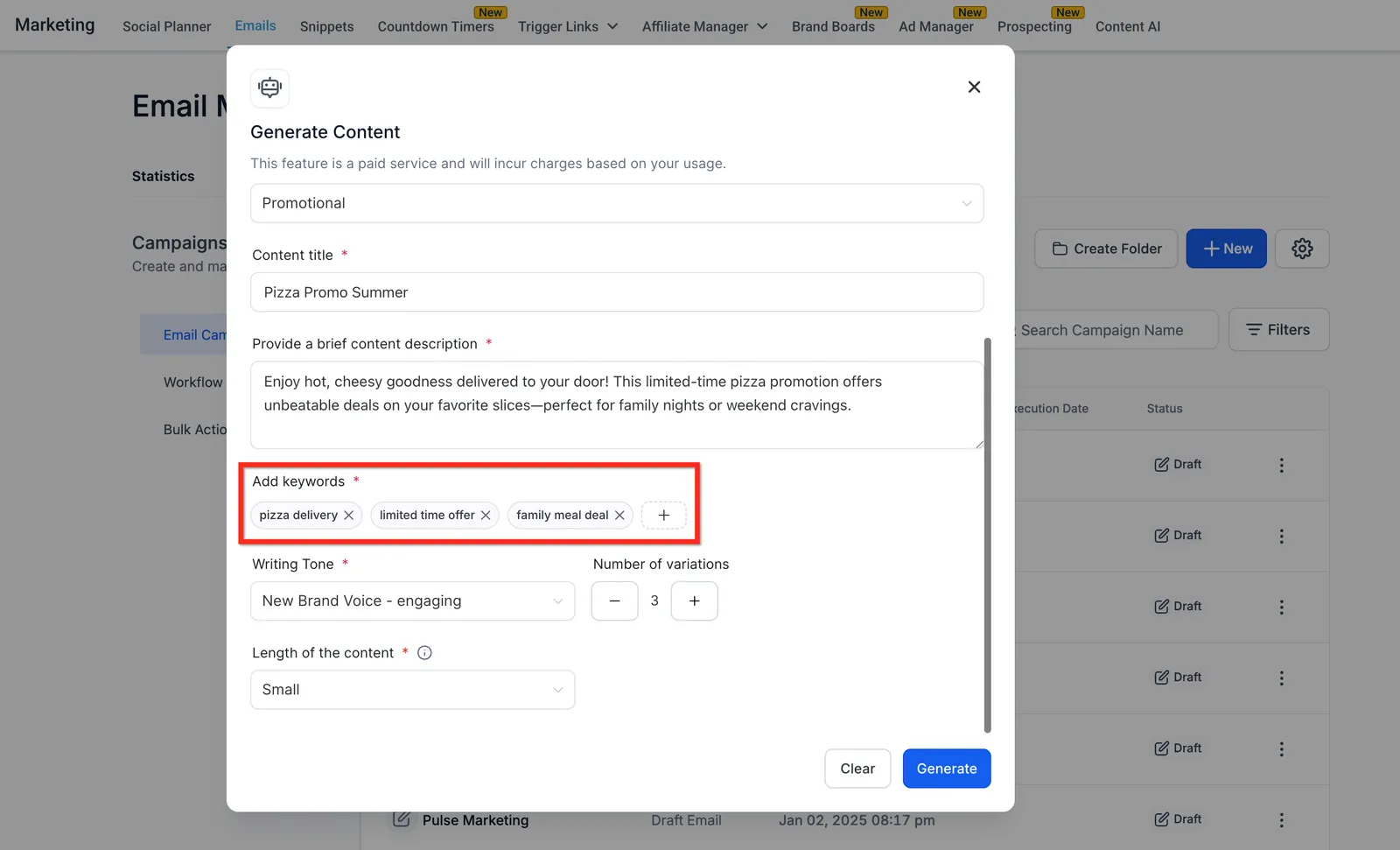
- Draft a social post, email or text message from a short prompt
- Reuse the same practice voice across every channel
- Start from a draft instead of a blank page
Ask AI: answers without digging through menus
New hires and busy teams rarely have time to browse help articles. With Ask AI you type a question such as how to set up a calendar or where to find a report, and the assistant answers in plain language. It shortens onboarding and cuts the number of "who knows how to do this" interruptions.
Drafts in your practice voice
Patients notice when messages feel inconsistent. Brand voice settings teach the drafting tools how your practice speaks: friendly and casual, clinical and precise, or somewhere in between. The same voice then shows up in:
- Email newsletters and announcements
- Text message replies and reminders
- Social posts for Facebook and Instagram
Chiropractors, physical therapists, dentists, med spas and wellness practices all use different language, and the assistant follows the voice you set.
Tasks it takes off your front desk
Good uses for first drafts include:
- A monthly newsletter about seasonal care tips
- A reply to a common patient question
- A caption for a post about a new service or open house
- A friendly follow-up message after a missed visit
You keep the judgment. The assistant just removes the time spent staring at a blank screen.
The biggest gains come from repeat tasks. If your office writes the same newsletter intro, appointment follow-up or social caption every week, save time by asking the assistant for a draft each time and keeping the edits that work. Over a month, those small savings add up to hours your team can spend on patients, the phones and the schedule.
How it works
- A team member opens the assistant inside PatientCopilot.
- They ask a question or describe what they want to write.
- The assistant returns an answer or a first draft in your brand voice.
- The staff member edits the draft as needed.
- They send or publish it through the normal channel, such as your Patient Inbox or social calendar.
Human review stays in place
Nothing about the assistant removes your team from the loop. Drafts are suggestions, and a person decides what goes to patients. That matters for any healthcare office, where tone and accuracy count.
Avoid pasting sensitive patient details into prompts when you do not need them. Drafting a general reminder or a promotional post never requires patient health information.
The AI Staff Assistant is included in the Copilot plan and in Autopilot. Set your brand voice once, ask your team to try it on the next newsletter or post, and refine from there. To go further, build task-specific helpers with Custom AI Agents or automate follow-up with workflows.
FAQ
AI Staff Assistant questions
What can an AI assistant do in a medical office?
It answers how-to questions about the platform, and drafts social posts, emails and messages in your practice voice. Your team reviews and edits every draft before anything goes out.
Will AI replace my front desk staff?
No. The assistant takes care of first drafts and quick lookups so your team spends less time on busywork and more time with patients. People stay in charge of what is sent.
Can the assistant write in my practice's voice?
Yes. Brand voice settings let drafts follow the way your practice sounds, and the same voice carries across email, text and social posts.
Do staff have to approve what the assistant writes?
Yes. Drafts are starting points. A team member reviews and edits them before they are sent or published.
Learn more
Go deeper on AI Staff Assistant
AI
Related features
Ready to get started?
Sign up today and put an AI copilot on your front desk. Backed by a 14-day money-back guarantee.
14-day money-back guarantee. Cancel anytime.