Marketing
Ad Manager
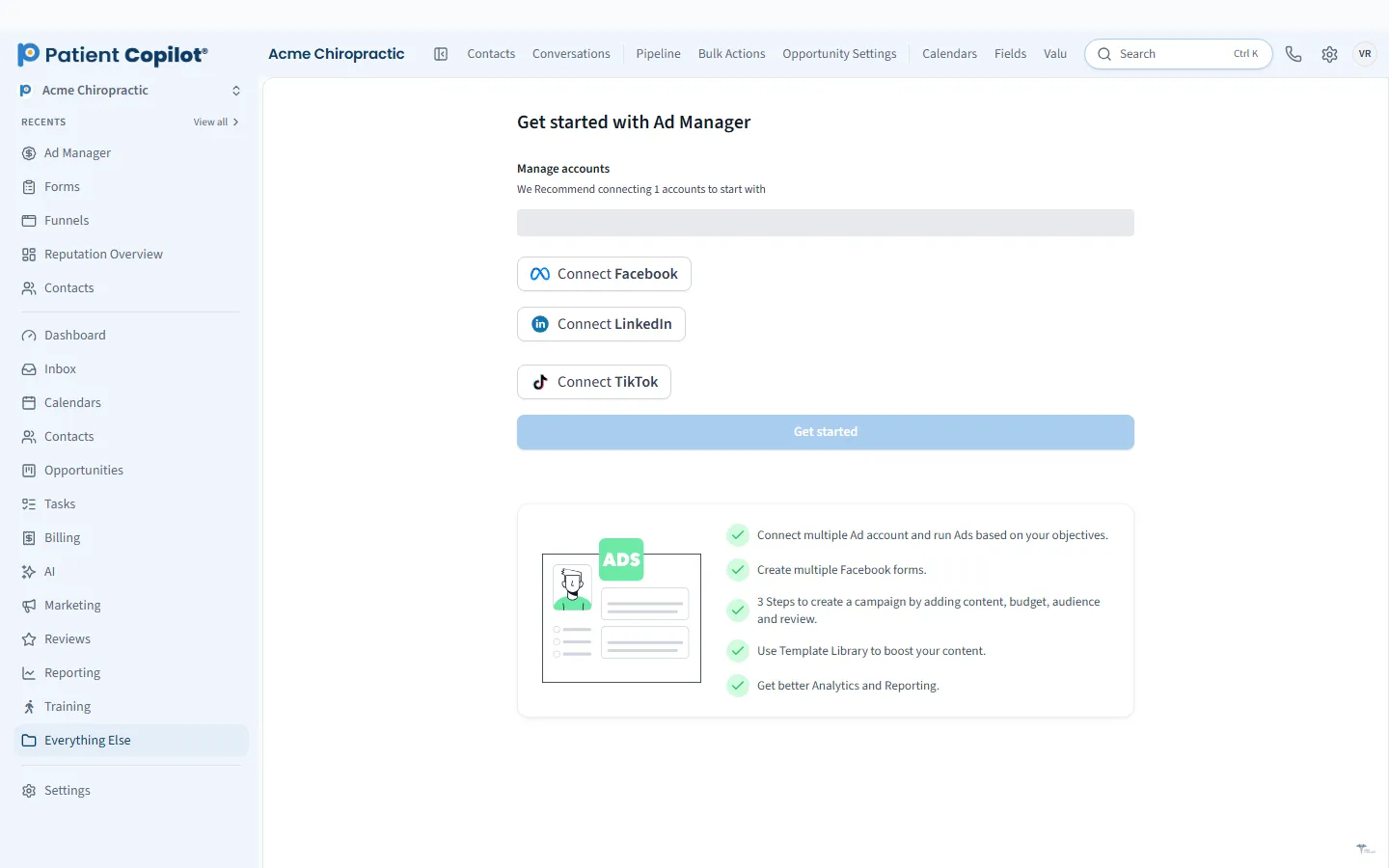
Create and manage Google and Facebook/Instagram ads in the platform.
What it does
What Ad Manager gives your practice
- Ads platform is part of the Autopilot plan
- Create and manage campaigns from one dashboard
- Ad performance reports next to your lead and booking reports
- Send new leads straight into your pipeline
Ad Manager in detail
Healthcare advertising works best when you can connect every dollar to a booked patient. The Ad Manager in PatientCopilot lets you create and manage ads for Google, Facebook and Instagram, LinkedIn and TikTok from one dashboard, and see results alongside your leads and bookings.
All your ad platforms in one place
Switching between several ad dashboards makes it hard to see the full picture. The Ad Manager brings campaigns together:
- Create and manage campaigns from one dashboard
- Run ads on Google, Facebook and Instagram, LinkedIn and TikTok
- Review ad performance reports next to your lead and booking reports
- Send new leads straight into your pipeline
Each platform has its own page with more detail: Google Ads, Facebook and Instagram Ads, LinkedIn Ads and TikTok Ads.
From click to booked patient
Clicks matter less than patients. When ad leads flow into the New-Patient Pipeline, your team can follow up quickly and see which inquiries became appointments. Reports then show how campaigns relate to leads and bookings, so you can judge ads by what they produce for your practice.
Quick follow-up on new leads
Ad leads go cold fast. Because new leads enter your pipeline and Patient Inbox, an automation can text a new inquiry right away and create a task for your front desk to call. Faster follow-up helps your ad budget go further.
Treat advertising as a test. Start with one platform and one clear offer, give it enough time to produce data and compare it with your lead and booking reports before adding more. This keeps spending sensible and helps you learn what your market responds to.
How it works
- Choose the platform and goal for a campaign, such as new-patient inquiries.
- Create the campaign from the Ad Manager dashboard.
- Leads arrive in your pipeline and trigger your follow-up automation.
- Your team replies, books and tracks each lead to an outcome.
- Review ad performance next to your other reports and adjust.
Policy-safe copy for healthcare
Ad networks restrict how health services can be advertised. Write ad copy that is accurate and avoids implying you know a viewer's personal health condition. Skip patient photos and details unless you have permission and the platform allows it. Review each platform's current policies before launching.
Who it helps
- Chiropractors: promote new-patient exams and local awareness.
- Physical therapy and dental offices: reach people searching for care nearby.
- Med spas and wellness practices: promote treatments and events.
The ads platform is part of the Autopilot plan, and it is available on Copilot as a paid upgrade add-on. Pair it with Which Marketing Brings Patients reports to see how your channels compare, and with Local SEO and your Google profile for the free side of local visibility.
If you are new to paid ads, set a modest budget you are comfortable with, write down what a good result looks like, such as a target number of booked new patients, and check back on a regular schedule. Clear goals make it much easier to decide whether to keep going, change course or pause.
FAQ
Ad Manager questions
Which plan includes the Ad Manager?
The ads platform is part of the Autopilot plan. On Copilot it is available as a paid upgrade add-on.
Which ad platforms can I manage?
You can create and manage campaigns for Google, Facebook and Instagram, LinkedIn and TikTok lead generation from the Ad Manager dashboard.
How do I track which ad produced a patient?
Ad performance appears next to your lead and booking reports, and new leads can go straight into your pipeline, so you can connect ads to real inquiries.
Do I need to follow ad policies for healthcare?
Yes. Each ad network has rules for health-related advertising. Review the policies for the platform you use and keep ad copy accurate and free of patient information.
Included
Everything in Ad Manager
-
Google Ads in Ad Manager
Create and manage Google ad campaigns in the platform.
-
Facebook and Instagram Ads in Ad Manager
Create and manage Meta ad campaigns for Facebook and Instagram in the platform.
-
LinkedIn Ads in Ad Manager
Create and manage LinkedIn ad campaigns in the platform.
-
TikTok Ads in Ad Manager
Create and manage TikTok lead generation campaigns in the platform.
Marketing
Related features
Ready to get started?
Sign up today and put an AI copilot on your front desk. Backed by a 14-day money-back guarantee.
14-day money-back guarantee. Cancel anytime.