CRM & Inbox
Tasks
Follow-ups that do not get lost at the front desk.
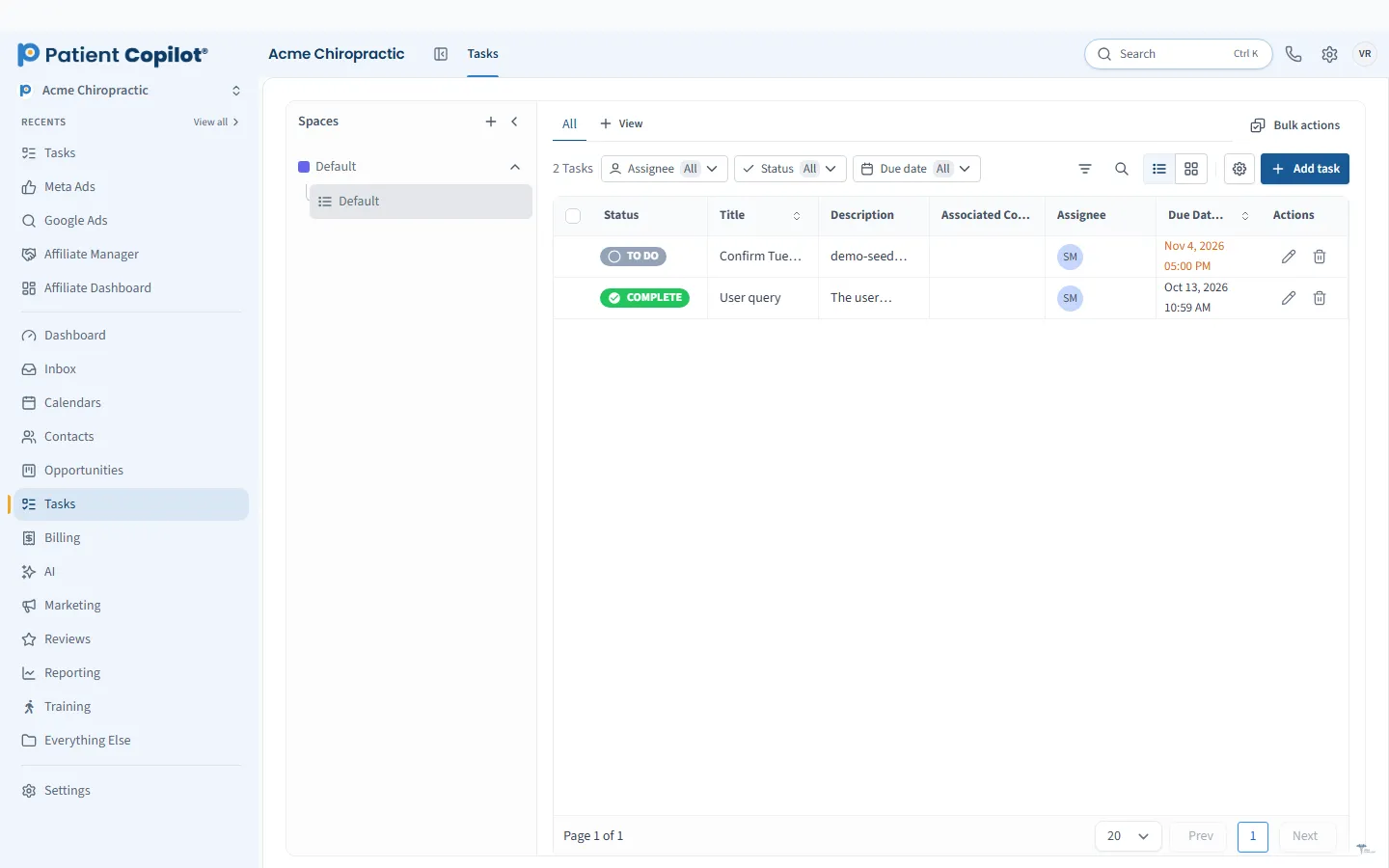
What it does
What Tasks gives your practice
- Create tasks from any contact record
- Recurring tasks for routine follow-up
- Assign to team members
- Create tasks automatically from automations
Tasks in detail
Task management for a medical practice comes down to one thing: making sure the follow-up someone promised actually happens. Tasks in PatientCopilot let your front desk and clinical team create, assign and track follow-ups right from the patient record.
Tasks tied to the patient
A sticky note or a shared spreadsheet cannot show you the conversation behind a task. In PatientCopilot, tasks live on the contact record:
- Create a task from any contact record
- See the patient's messages, notes and appointments beside it
- Set a due date and a clear description of what needs to happen
When someone else picks the task up, they have the whole story at hand.
Assign and prioritize
Every task can be assigned to a team member, so there is no guessing about who owns it. A callback goes to the front desk, a records request goes to your office manager, and a clinical question goes to the provider.
Use due dates to sort what needs attention first. Your team can work through its own list each morning.
Recurring tasks for routine work
Some follow-up repeats. Recurring tasks help with things your practice does on a schedule, such as:
- Checking in with patients who finished a care plan
- Reviewing open new-patient inquiries each week
- Following up on pending referrals or paperwork
Set it once and the reminder comes back when it is due.
Create tasks automatically
Not every task should depend on someone remembering to write it down. Automations can create tasks for you. For example, a new-patient inquiry can create a task for the front desk to call within a set time, or a missed appointment can create a follow-up task. That keeps response times consistent and removes small chores from your team's plate.
The best task lists are short. Give each task a clear action, an owner and a due date, and close it when done. Review overdue tasks at the start of each day so nothing waits longer than it should. When a task type keeps coming up, ask whether an automation could create it for you.
How it works
- Open a patient or lead record and create a task.
- Describe what needs to happen, set a due date and assign it.
- The assigned team member sees it on their list.
- They complete the follow-up and mark the task done.
- Add recurring tasks or automation rules for work that repeats.
Team accountability
When tasks are visible and assigned, it is easy to see what is open and what is done. Managers can check that follow-ups are happening without asking around, and staff know exactly what is expected of them.
Tasks fit naturally with the New-Patient Pipeline and the Patient Inbox: an unanswered inquiry becomes a task, and a task can be tied to the conversation that created it. Chiropractors, physical therapists, dental offices, med spas and wellness practices all benefit from a simple, shared list. Tasks are included in the Copilot plan and in Autopilot.
FAQ
Tasks questions
How do I track patient follow-ups?
Create a task from the patient's record, set a due date and assign it to a team member. The task stays tied to that patient so anyone can see the context.
Can tasks be created automatically?
Yes. Automations can create tasks for you, for example when a new inquiry arrives or a form is submitted.
Can I set up recurring tasks?
Yes. Recurring tasks are available for routine follow-up that repeats on a schedule.
Can I assign tasks to specific staff members?
Yes. Each task can be assigned to a team member so it is clear who owns it.
CRM & Inbox
Related features
Ready to get started?
Sign up today and put an AI copilot on your front desk. Backed by a 14-day money-back guarantee.
14-day money-back guarantee. Cancel anytime.