Patient Experience
Patient Portal & Mobile App
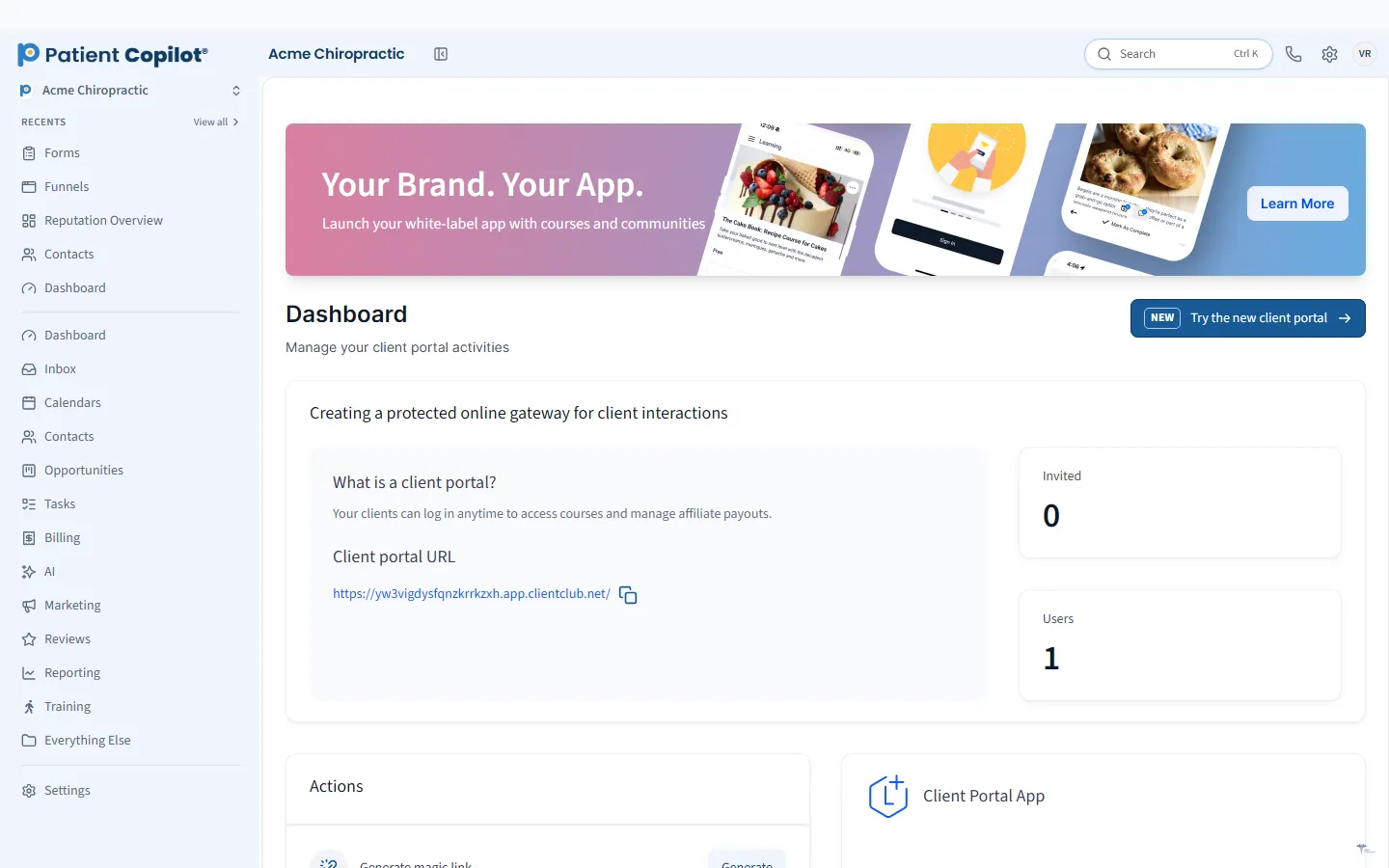
A branded portal and mobile app where patients sign in and see what is theirs.
What it does
What Patient Portal & Mobile App gives your practice
- Branded portal for your practice
- App builder for a branded patient app
- Access to courses, communities and offers
- Settings control what patients see
- Staff mobile app for the team on the go
Patient Portal & Mobile App in detail
Patient portal software gives your patients a branded place to sign in and see what is theirs. PatientCopilot includes a portal for your practice and an app builder for a branded patient mobile app, so your practice is one tap away on their phone.
What patients can do in the portal
The portal is where patients access the content and offers you share with them. Depending on how you set it up, patients can:
- Sign in under your practice brand
- Access courses and lessons you have assigned
- Join communities and private groups
- See the offers and programs available to them
Settings control what patients see, so you can show each person only what is relevant. Chiropractors, physical therapists and wellness practices often use the portal to deliver home-care videos, program content and member perks.
Branded mobile app
The app builder lets you create a branded patient app. Patients install it, sign in and find your content in their pocket. Your practice name and look appear on their home screen, which keeps you visible between visits.
Courses, communities and offers
The portal connects to other platform features. Assign a course to a new patient, add a member to a community, or show a membership offer. Automations can add members automatically, which reduces manual setup for your staff.
Staff mobile app
Your team gets a mobile app too. Staff can work in the account while away from a desk, which helps owners and providers who are not always at the front desk.
How it works
- Set up your portal branding and decide what patients can see.
- Build your branded patient app with the app builder.
- Create the courses, groups and offers you want to share.
- Invite patients to sign in, or add them automatically through an automation.
- Patients use the portal on the web or the app.
Rollout tips
Start small. Launch with one course or one community, tell patients about it at the visit, and send a text with the sign-in link. Mention the app in your appointment reminders and on your website. Ask a few patients for feedback before you roll it out to everyone.
Keep sensitive details out of marketing messages, and review the HIPAA Compliance page for how PatientCopilot describes its safeguards. Your own policies still apply to how your team uses the portal.
Adoption is mostly a matter of habit. Tell patients about the portal at the first visit and put a short explanation on your appointment reminders. Give them a single reason to sign in, such as a home-care course, a members-only offer or a community group, and make sure the sign-in step is easy. Keep the content fresh by adding new lessons and offers on a regular schedule so patients have a reason to return. Ask your team to mention the app when they hand patients their care plan. Review who has signed in and who has not, and send a friendly text to those who have not. A small, useful portal that patients actually open beats a large one that sits unused.
FAQ
Patient Portal & Mobile App questions
What is a patient portal?
A patient portal is a secure, branded place where patients sign in to see what is available to them, such as courses, communities and offers.
Can patients use it on their phone?
Yes. The app builder lets you create a branded patient app, in addition to the web portal.
Can I control what patients see?
Yes. Settings control what patients can access in the portal.
Is there an app for my staff?
Yes. There is a staff mobile app for the team on the go.
Ready to get started?
Sign up today and put an AI copilot on your front desk. Backed by a 14-day money-back guarantee.
14-day money-back guarantee. Cancel anytime.